 PayRole
For the people you pay
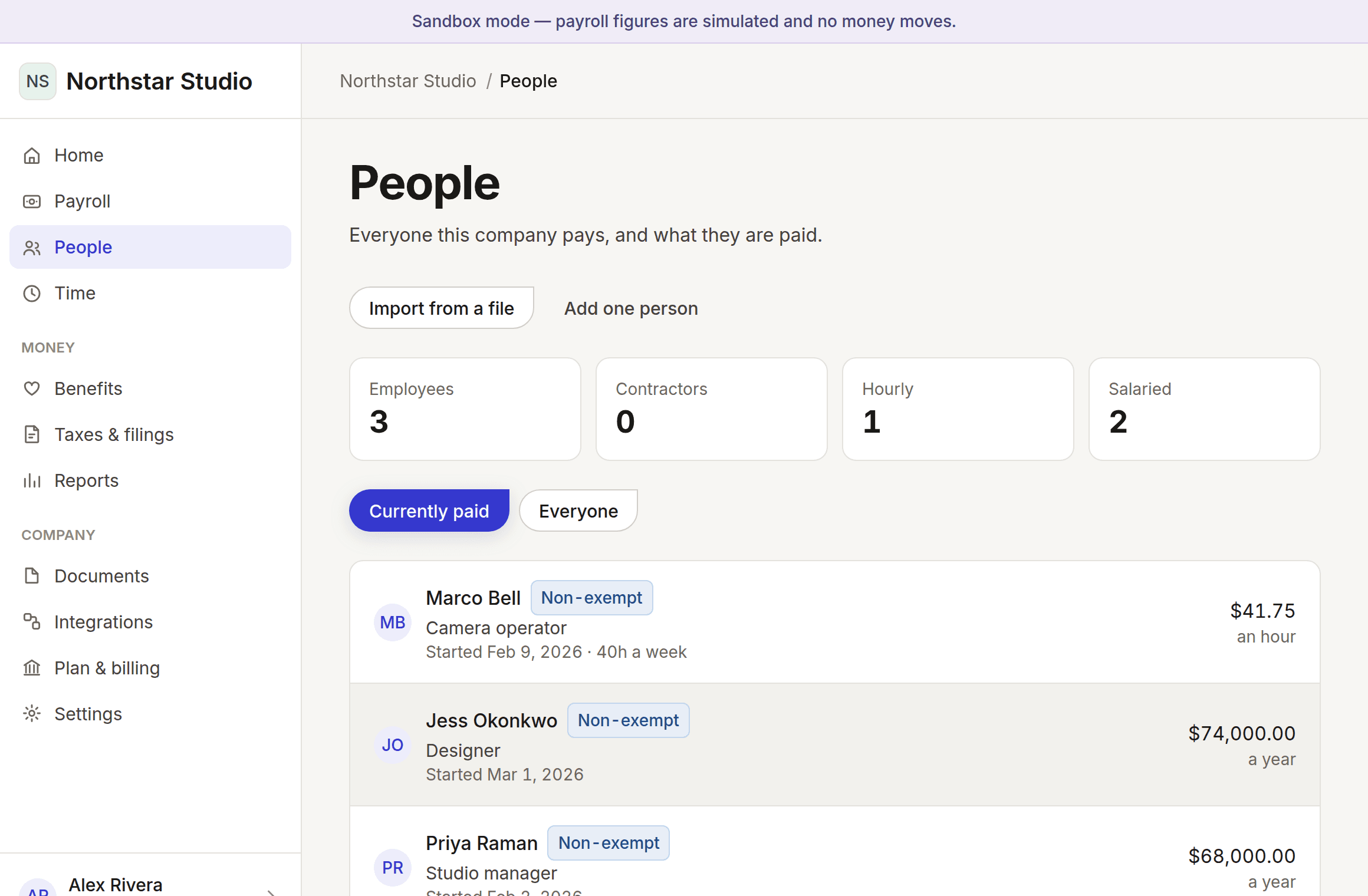
Partly workingEveryone you pay, employee or contractor, in one list with their own record.
What happens when somebody’s pay or position changes?
A pay change never edits the old number. It closes the range that was in force and opens a new one beside it, so re-running February’s payroll in December still produces February’s answer. That is what makes a payroll system auditable, and being able to reproduce a figure you already paid is most of what a payroll system is for.
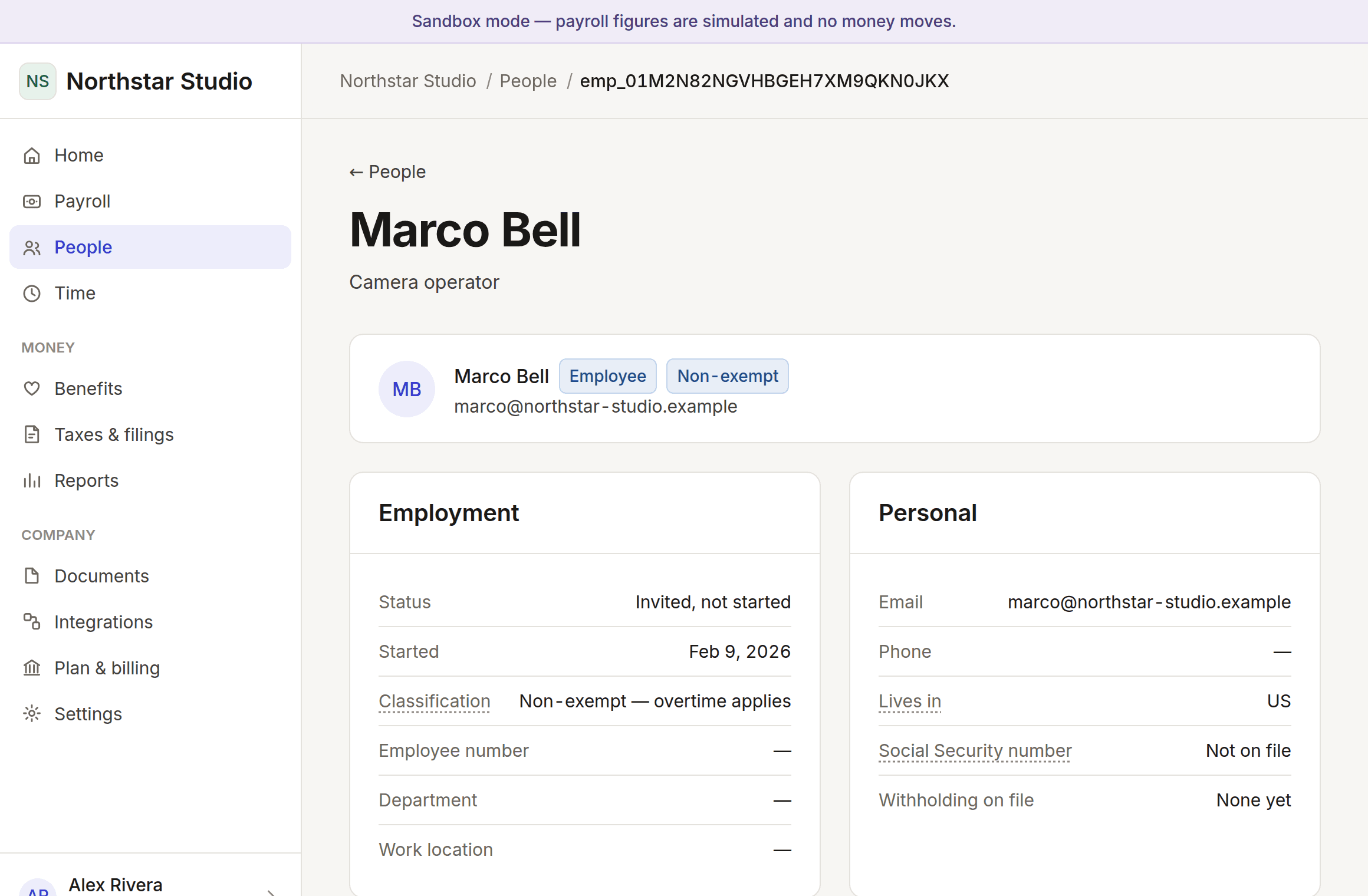
So each person’s page shows the whole history rather than a current figure, with the reason for every change. The reason is required — six months from now the question will be why this number changed, and "somebody edited it" is not an answer a payroll record is allowed to give.
Classification is per person and never per company. A salaried exempt employee, an hourly non-exempt employee and a contractor on a fixed fee sit side by side in the same list, because that is what real companies look like. Nothing here assumes one arrangement, and nothing infers a classification from a job title.
A rate dated before today is allowed, because backdating a raise agreed in September to January is an ordinary thing to do. It is never silent: the form warns before you submit and the result says back pay is owed, because nothing calculates or pays the difference for you.
In the product: Your company → People
What it looks like
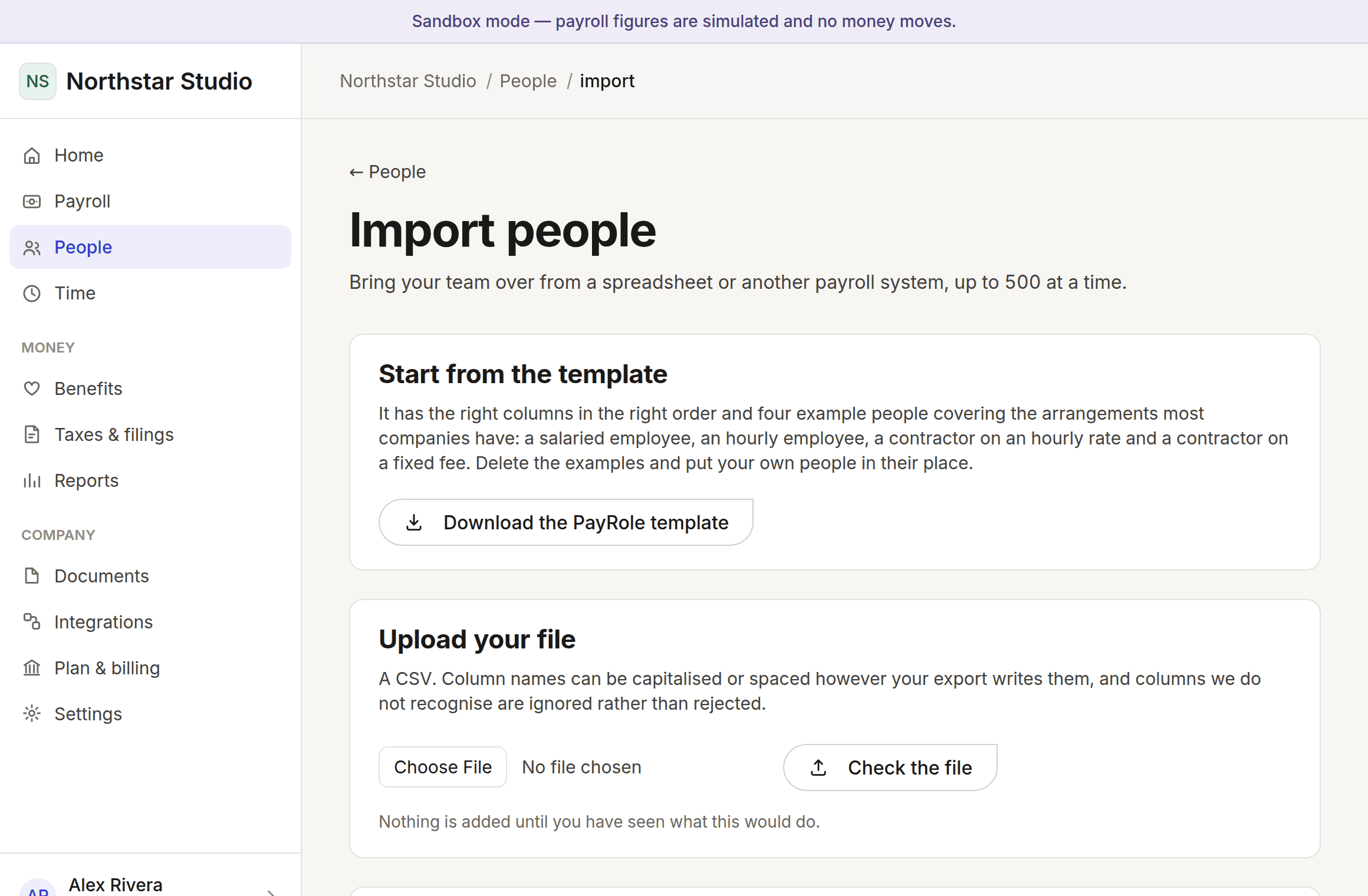
Photographed from the running application, not drawn. Every name and figure in them is invented.
What works today
- A roster with each person’s own classification and rate
- Pay rates gated behind their own permission, so a manager sees the team without the salaries
- Full effective-dated pay history with the reason for each change
- Recording a raise, a cut, or a move between salaried and hourly
- A warning before you record anything dated in the past
- Importing up to 500 people at once with a dry run you review first
What does not, and why
A portal where people see their own record
Worker sign-in, which is the same missing piece as onboarding.
Paystubs
A real pay run to produce them from.
Termination and final pay
Final-pay rules are jurisdictional and deadline-driven, so this waits on the tax provider.
Every line in this area
The same catalogue the pricing table is built from, filtered to this area. One list, one set of markers, everywhere.
- Works today
One record per person, however they are paid
Salaried, hourly and contract arrangements side by side in one list, each with their own classification and rate. Nothing assumes a company has one kind of worker.
- Works today
Every pay change, with the reason
A raise closes the old rate and opens a new one rather than overwriting it, so re-running an old payroll still gives the old answer. The reason is required.
- Works today
Bring a team over from a file
Up to 500 people at a time from a CSV, with a dry run naming the line and column of every problem. If any row is wrong, nothing is written.
- Planned
Self-service for your team
Payslips, tax documents, time off and a change of address — done by the person themselves, which is fewer emails for you and faster for them.
- Planned
Payslips and year-end documents
Available the moment they exist, and explained rather than merely itemised.
- Planned
Reviews and compensation planning
Performance and pay decisions in the same place as the pay itself, rather than in a separate product that has to be reconciled by hand.
Read the markers, not the length of the list
Anything marked planned or being built is not working today and is not charged for. Moving money needs a licensed partner and filing needs a status granted by each tax authority — neither is a matter of writing more code, and neither is claimed here.