 PayRole
Your team, and what they are paid
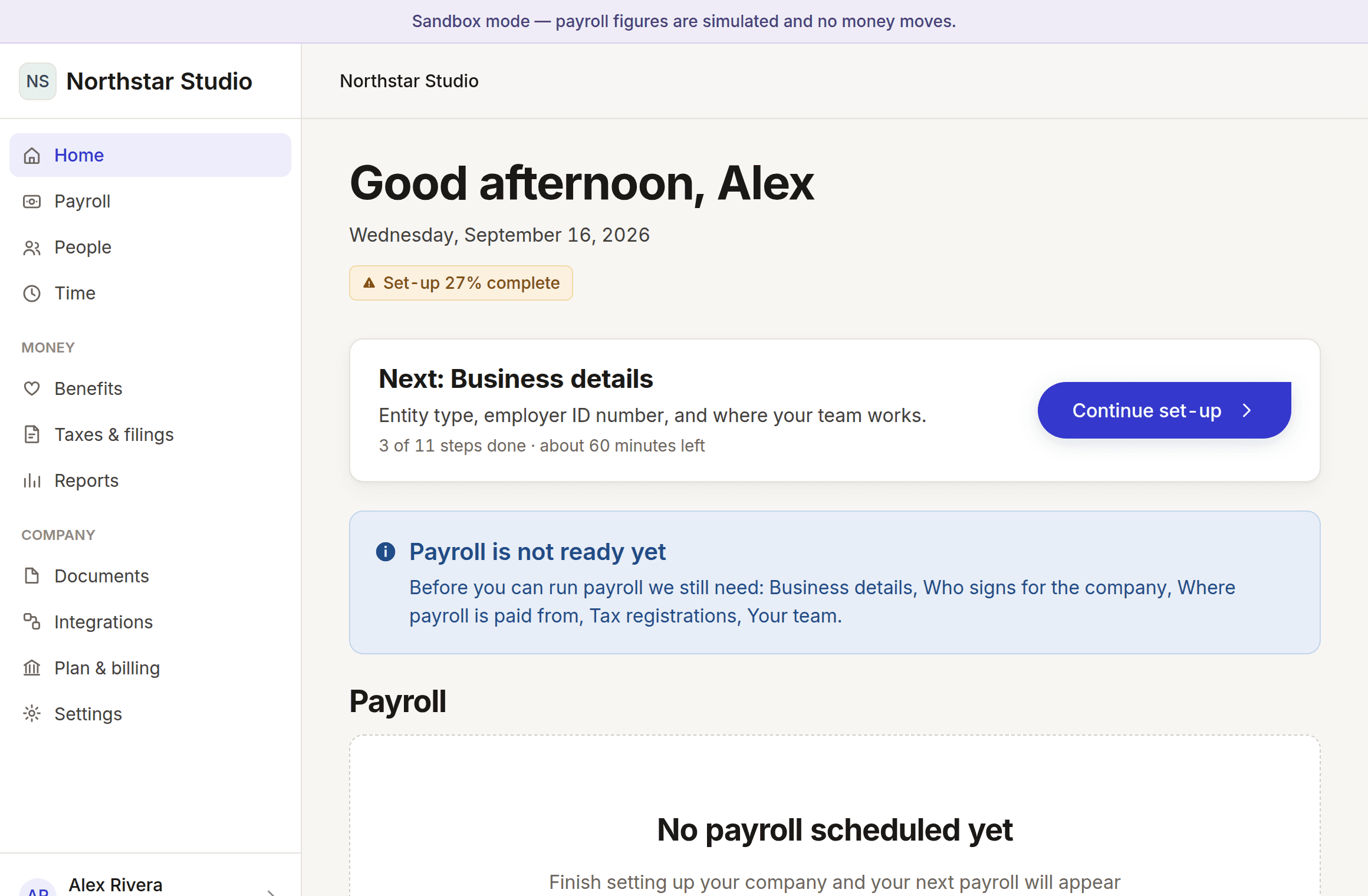
Salaried or hourly, recorded to the cent and dated from their first day. A pay rise opens a new record rather than overwriting the old one.
Payroll for first-time employers
Built for people who have never run payroll. Every number is explained, and nothing is paid to anyone until you approve exactly what you have seen.
Free to try, no card. First step takes 3 minutes.

Photo by Alex Gruber on Unsplash

Photo by Elisha Terada on Unsplash

Photo by quentin touvard on Unsplash

Photo by Brooke Cagle on Unsplash
Eleven areas, each marked with how far along it actually is. Most payroll products show you the finished list; this one shows you where it really stands.
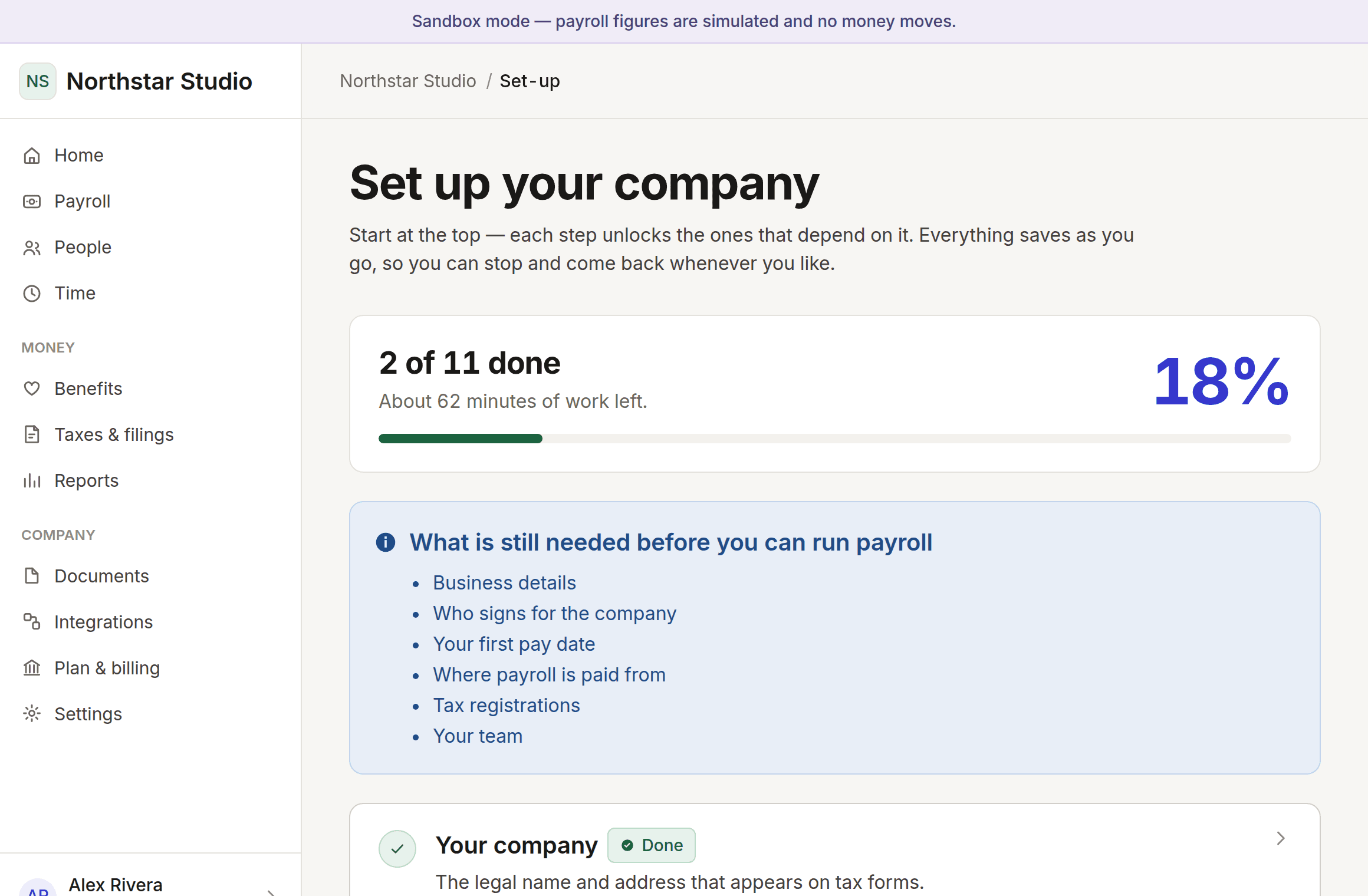
Eleven steps in the order they depend on each other, saving as you go.
Works todaySee every number, and what changed since last time, before anything is sent.
Partly workingRegistrations, filings and deadlines, tracked against the calendar they fall on.
Partly workingHealth cover and retirement, priced and enrolled without a separate system.
PlannedHours, time off and schedules, kept where the pay run can read them.
Partly workingOffer to first pay day, with the paperwork attached to the person.
Partly workingEveryone you pay, employee or contractor, in one list with their own record.
Partly workingOne debit, itemised — wages, taxes and reimbursements accounted for separately.
PlannedThe numbers your accountant asks for, and somewhere to send them.
Partly workingWho did what, when, and what it looked like before they did it.
Works todayA person who knows payroll, and answers that cite the rule they come from.
Partly workingEvery step says how long it takes and why it is needed before you start it. Everything saves as you go, so you can stop whenever you like.
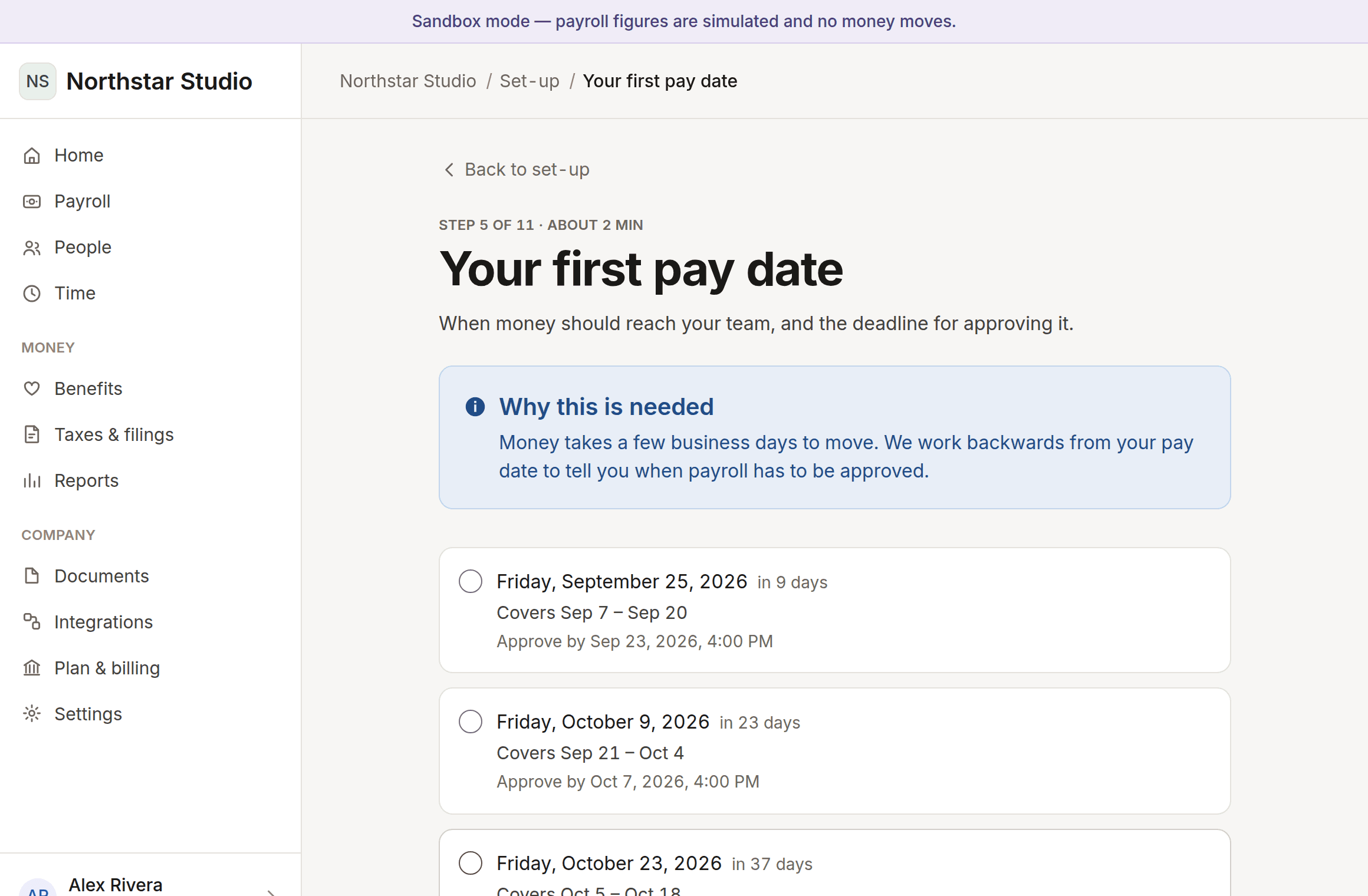
Money takes business days to move. Every pay date is offered with the date you have to approve by, worked backwards through weekends and non-banking days.
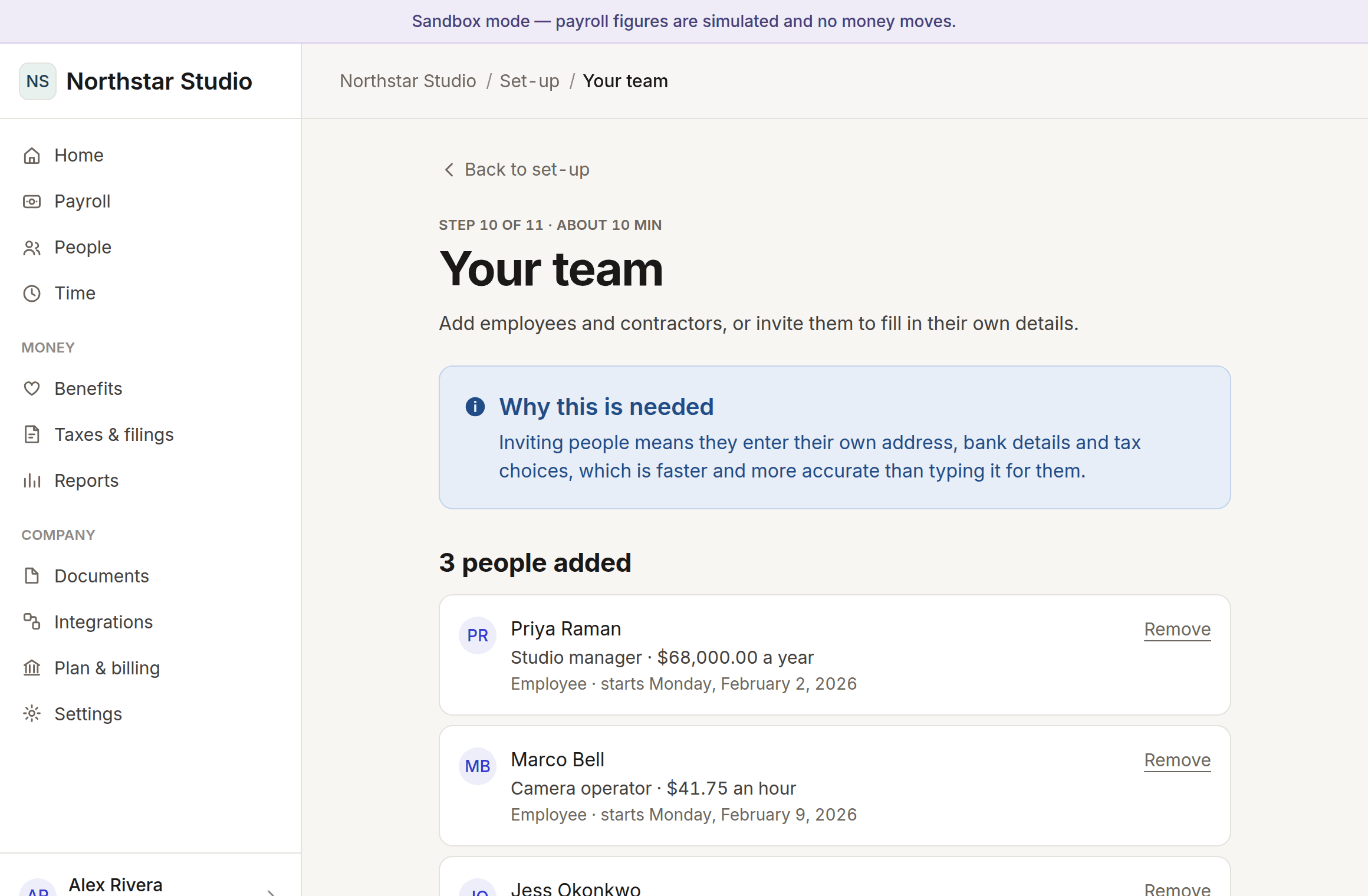
Salaried or hourly, recorded to the cent and dated from their first day. Change someone’s pay later and it opens a new record, so last year still adds up the way it did last year.
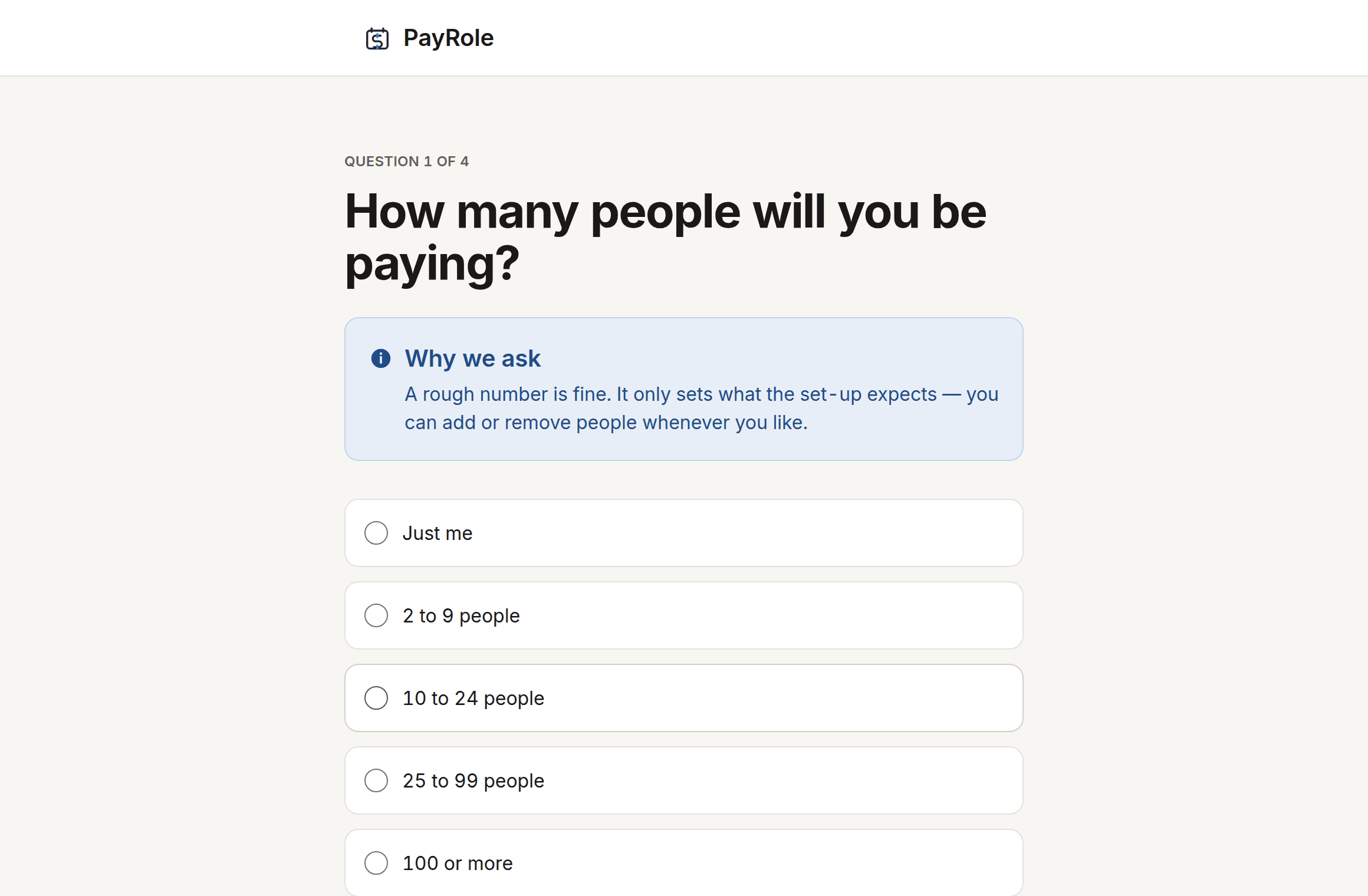
Four questions at the start change what you are asked for. Say this is your first payroll and a fifteen-minute step disappears entirely.
PayRole assumes you do not.
No payroll is submitted and no money moves without your approval of the exact figures you were shown.
Every step says what it needs and why before it asks. "EIN" means nothing on your first day as an employer.
A check that could not run says so rather than showing a tick. An outage never looks like a mistake you made.
Salaried or hourly, recorded to the cent and dated from their first day. A pay rise opens a new record rather than overwriting the old one.
Totals you can expand into the arithmetic behind them. The ledger underneath is built; the payroll run on top of it is not.
Adding someone works today. Inviting them to enter their own address, tax choices and bank details is designed and not yet built.
Double-entry bookkeeping, balance enforced by the database, every change written to an append-only audit trail. Whole cents throughout.
10 roles across 49 permissions — a bookkeeper who can see payroll but not approve it, a manager who only sees their own team. Approving payroll asks for your password again.
Four questions at the start change the checklist. Say this is your first payroll and a fifteen-minute step disappears.
Every pay date comes with the deadline for approving it, worked backwards through weekends and non-banking days.
Set-up is 11 steps, and you do not do them in one sitting. Everything saves as you go.
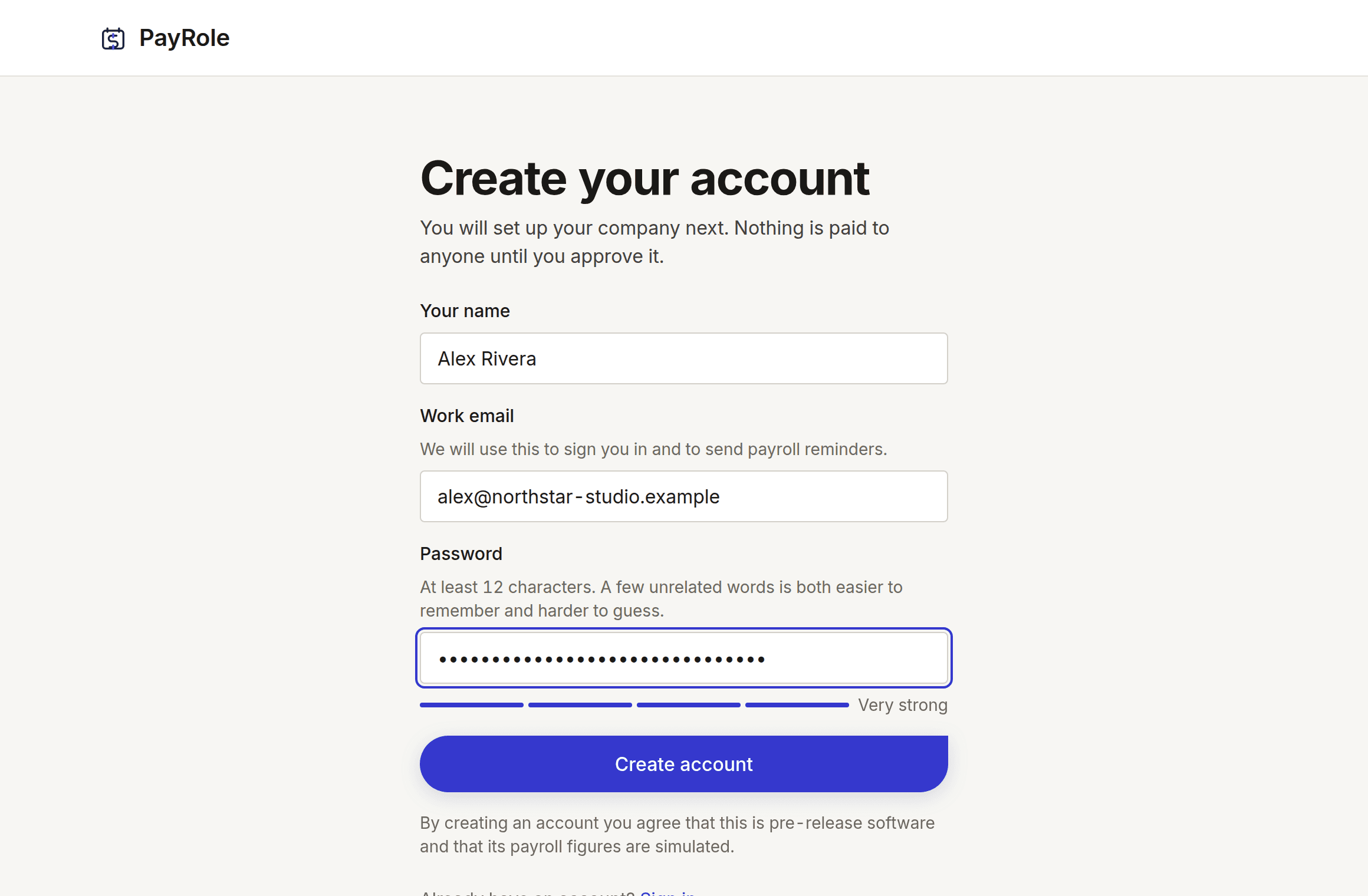
Name, email, password. No card, no sales call, and nothing about your company yet.
About 1 minute
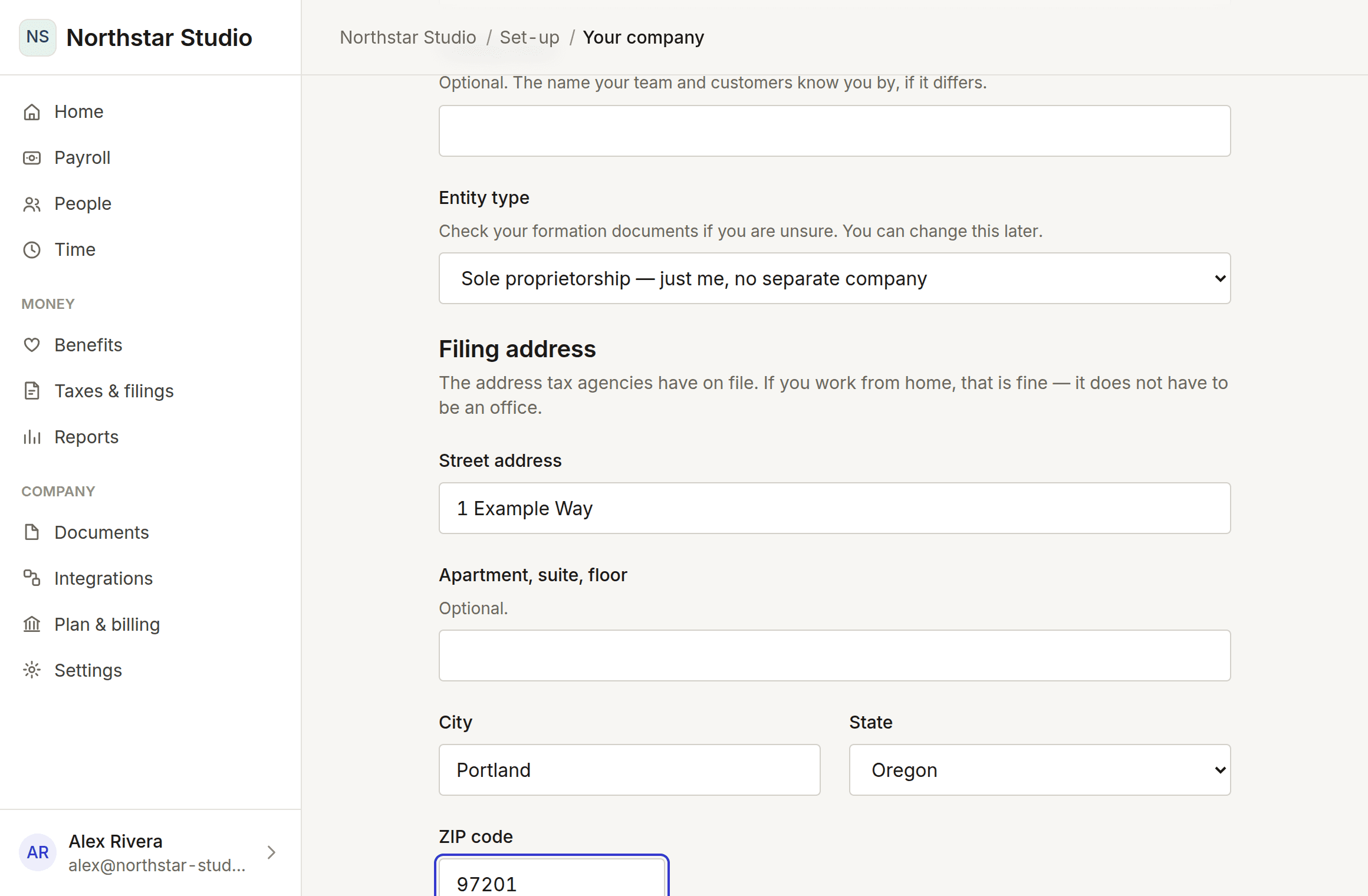
Its legal name, what kind of entity it is, and where it is registered. Addresses are checked against the postal service as you type.
About 3 minutes
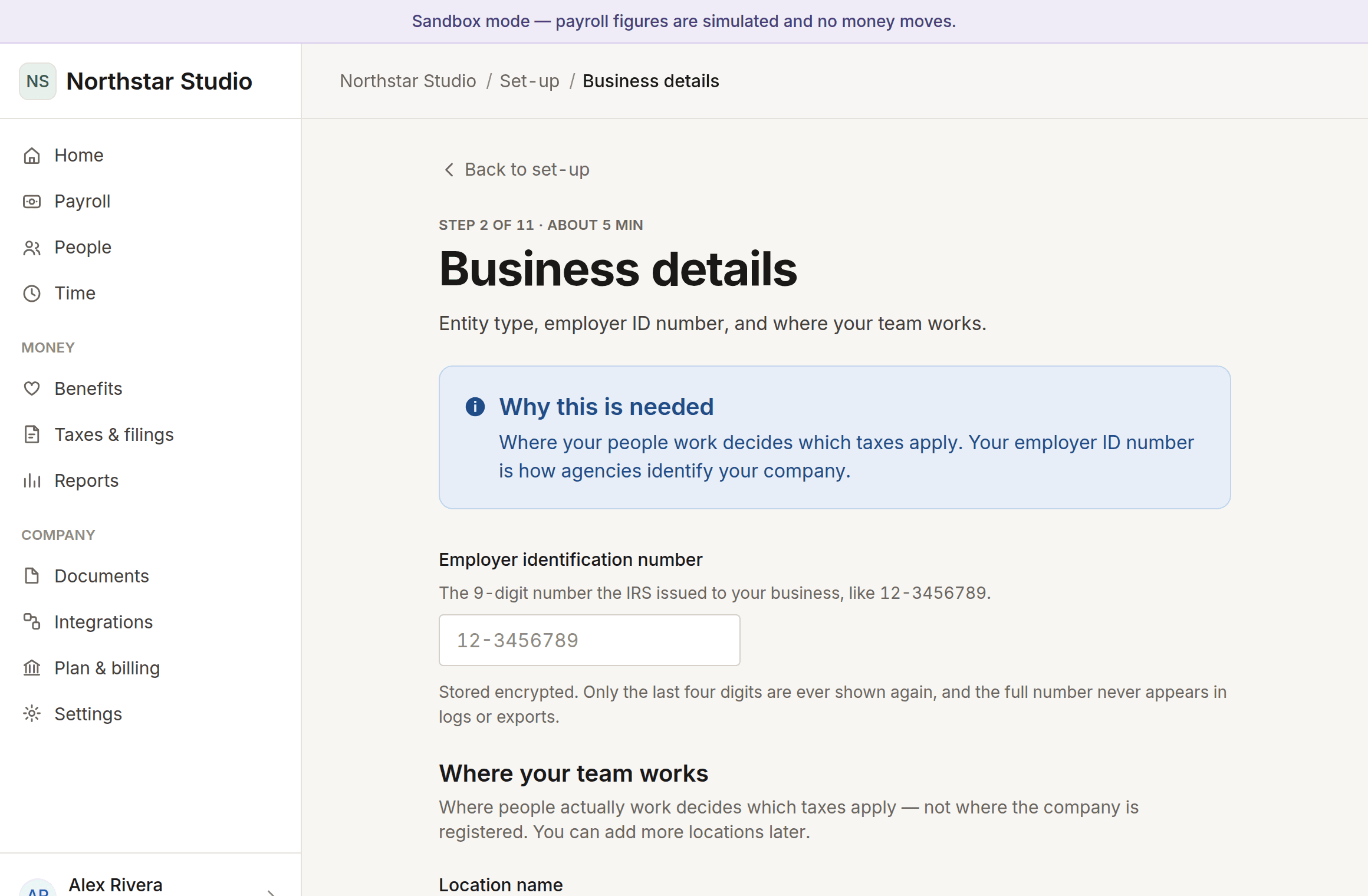
Tax registration numbers and where your people actually work. Every field says what it is and where to find it, because “EIN” means nothing on your first day as an employer.
About 5 minutes
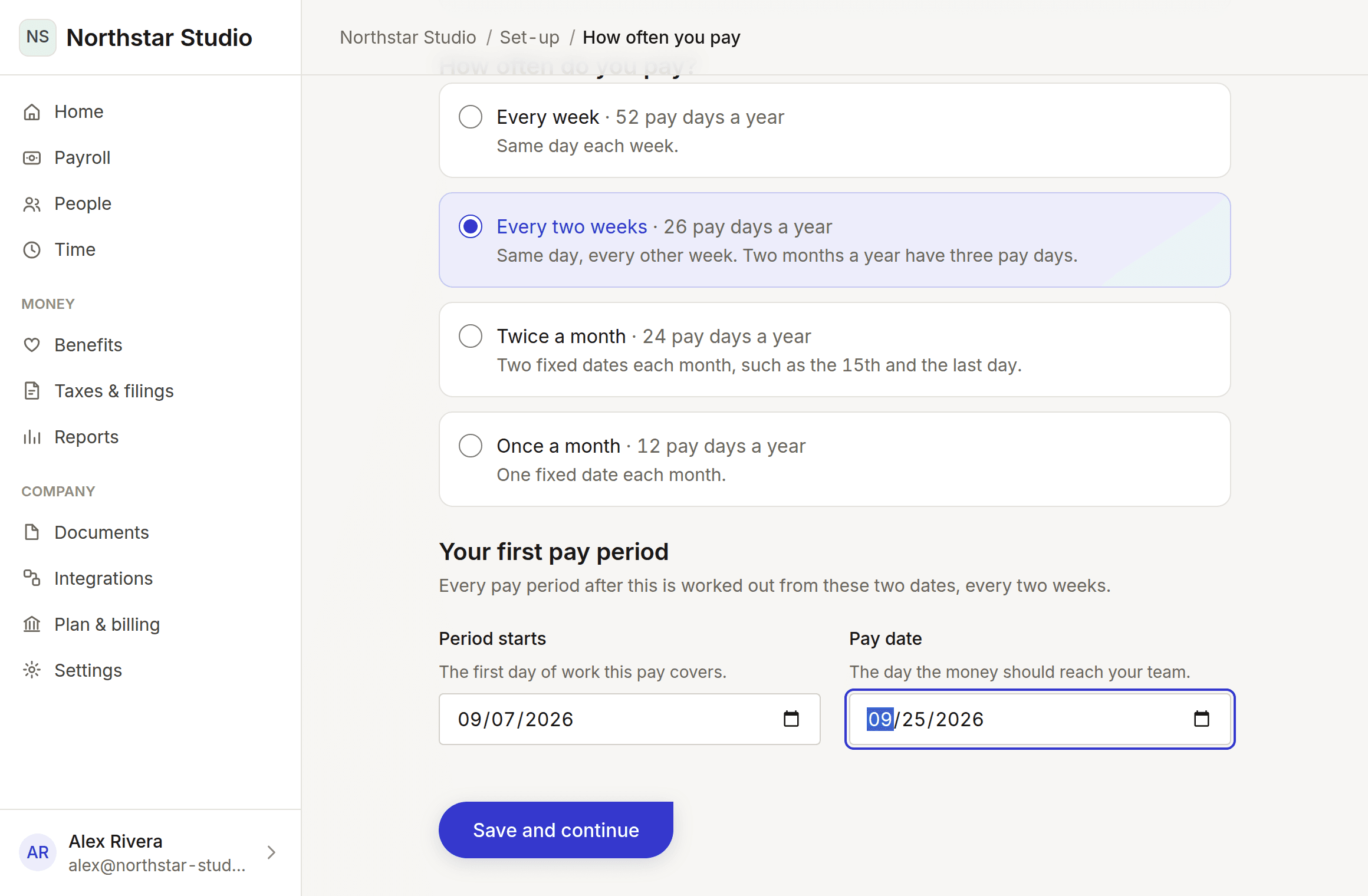
Weekly, fortnightly, twice a month or monthly. Pick the first period and the first pay day, and every date after it is worked out for you.
About 3 minutes
Employees and contractors, salaried or hourly. We never ask you to type someone else’s Social Security number or bank details — they enter their own.
About 10 minutes
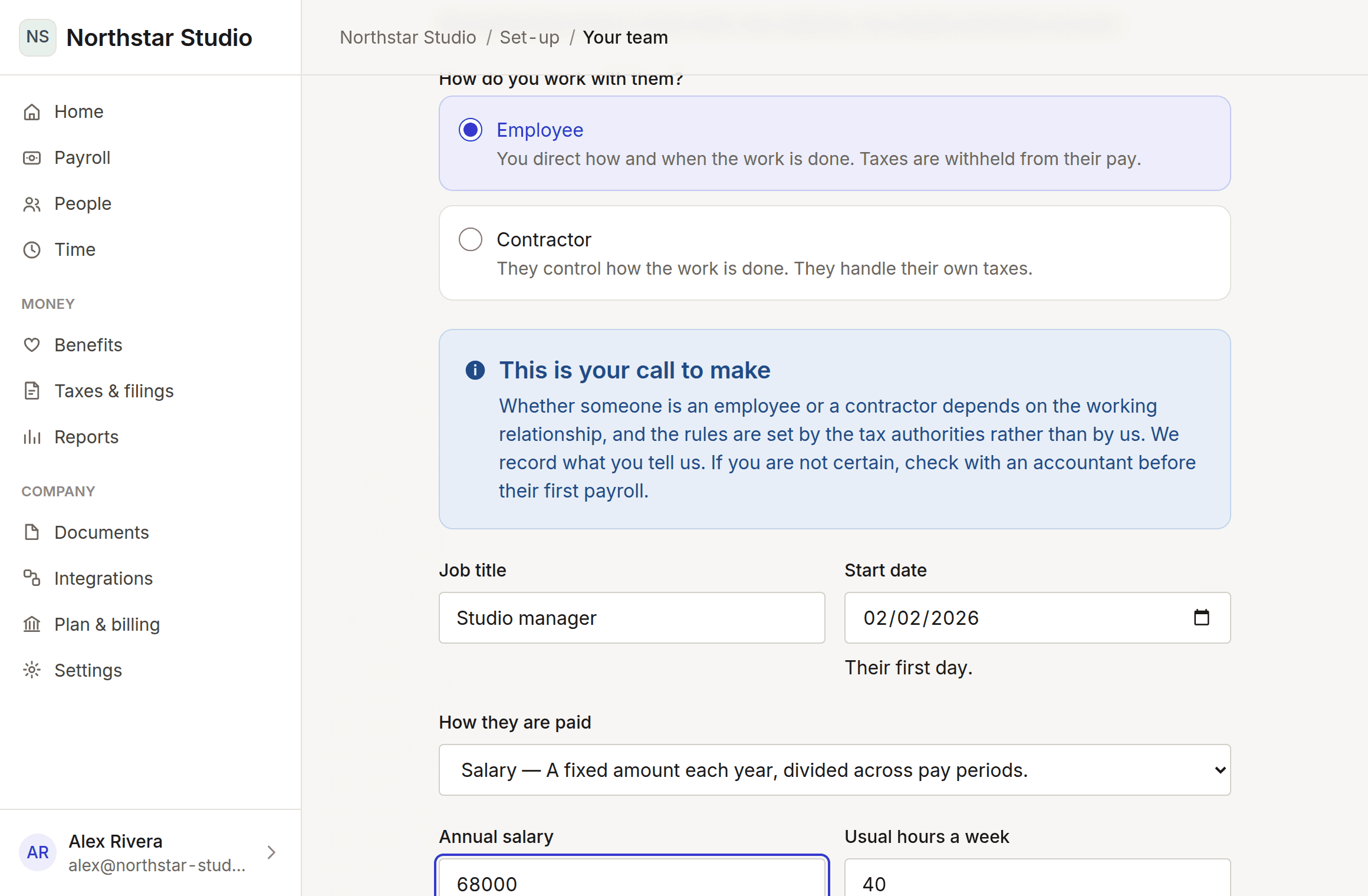
What is done, what is next, and how long is left. Come back whenever you like — it remembers.
Plainly, because a payroll product that oversells itself costs its customers money and penalties rather than just disappointing them.
This is pre-release software
Payroll figures come from a clearly-labelled sandbox simulation with simplified assumptions. They are not based on current tax rules, no money moves, and nothing is filed. Do not use them to pay anyone or to make a decision with money attached.
7 of them, from free to no limit — including one for an owner-operator on their own and one for a business with no employees at all. Tell it how many people you pay and every plan reprices itself.
These prices are not final
Both the figures and what sits in each tier are provisional, and no tier is enforced by the product yet. Choosing a plan records your choice so we know what you wanted; it does not take a payment, because no payment provider is connected.
For 5 people, Go is the smallest plan that fits.
Set up a company and see the whole thing before deciding.
Free
For 30 days, up to 2 people
A first hire, or a handful.
$64.00/ month
$39.00 plus $5.00 per person
A growing team, with benefits and proper records.
$109.00/ month
$69.00 plus $8.00 per person
More states, more tools, more to keep straight.
$179.00/ month
$129.00 plus $10.00 per person
Large teams, several companies, and people outside the US.
$249.00/ month
$199.00 plus $10.00 per person
Neither of these is the small end of the ladder above. They are different products, priced for a different problem.
You are the company. Your salary, your taxes, your retirement.
$39.00/ month
Flat. One person, no per-person charge.
No employees. Pay contractors, file their 1099s, nothing else.
$25.00/ month
No base price — $5.00 per contractor you actually pay
Compare every plan side by side — or read everything it does, with each line marked built, being built, or planned.
Create an account, set up a company, and see how far it gets you. Nothing is paid to anyone and nothing is filed.