 PayRole
Time
Partly workingHours, time off and schedules, kept where the pay run can read them.
How do hourly people and contractors get their hours in?
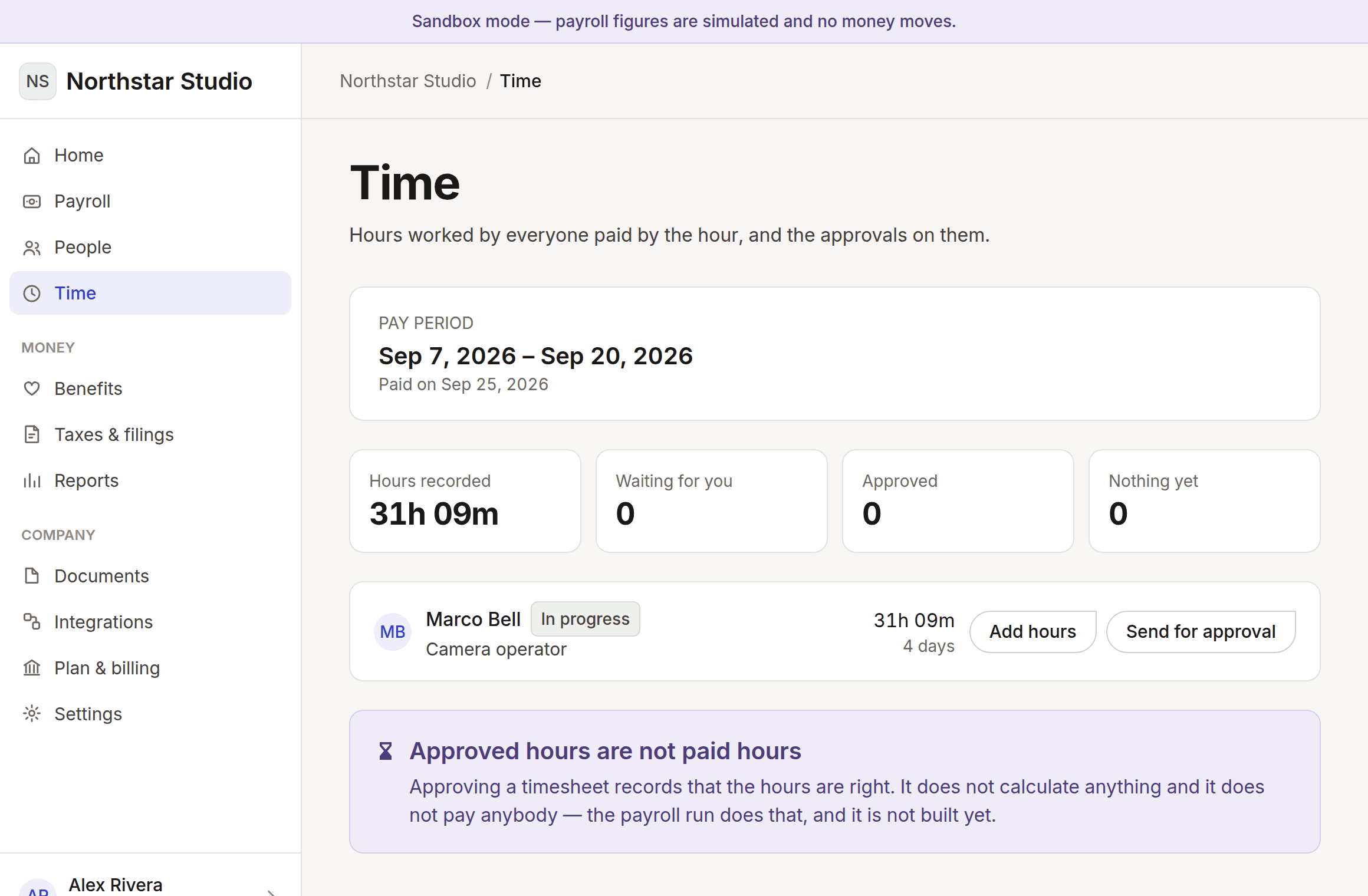
Hours are recorded against a pay period, because a period is the unit payroll pays and approval is what has to happen before it. Everyone whose pay moves with the clock appears, including the people who have recorded nothing — those are precisely the ones holding payroll up, and a list of submitted timesheets hides them.
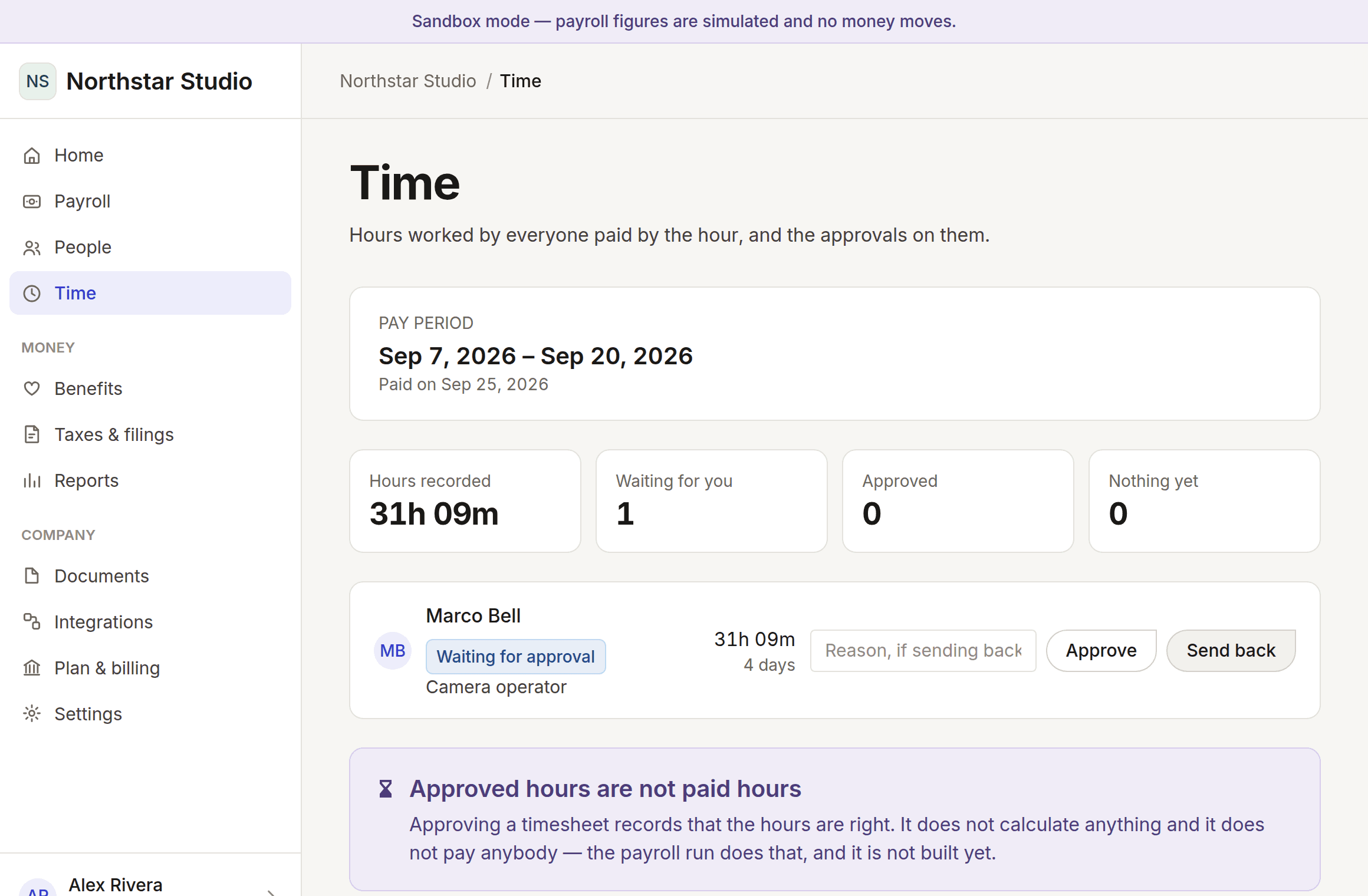
Three rules are enforced in the domain rather than in the interface, which means no screen can get around them. Nobody approves their own hours: a manager paid hourly has a timesheet too, and signing it themselves removes the only check on it. A rejection needs a reason, because hours bounced back without one turn into a guessing game that ends in changing figures until they are accepted. And once payroll has taken the hours, they stop moving — a calculation whose inputs change underneath it cannot be reproduced.
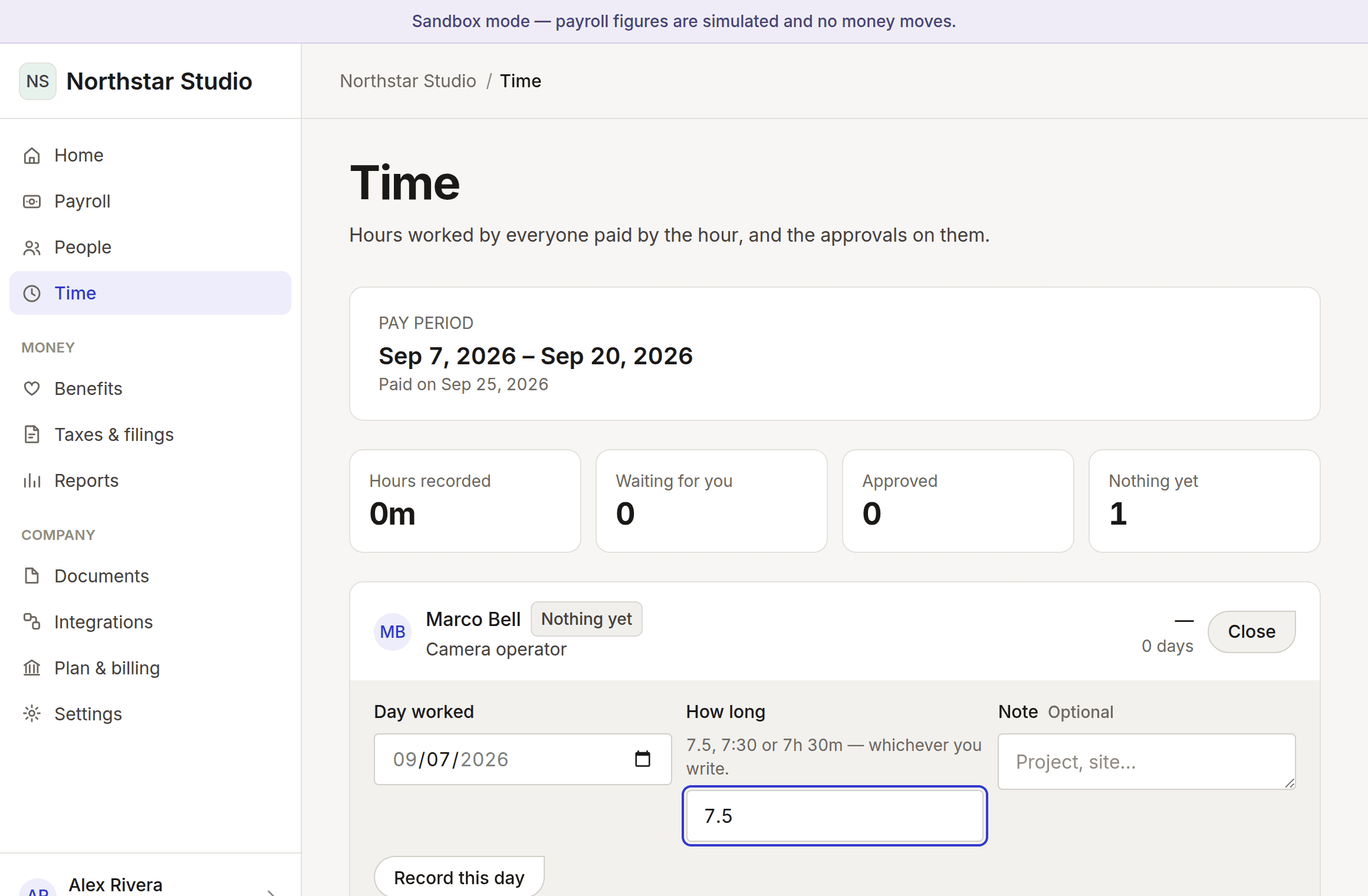
Durations are stored as whole minutes and only ever shown as decimal hours. 7.4 hours is not a number a computer holds exactly, and a week of them added in floating point does not equal the sum of its days. At an hourly rate, that difference is somebody’s pay. You can type 7.5, 7:30 or 7h 30m — all three are things people write.
In the product: Your company → Time
What it looks like
Photographed from the running application, not drawn. Every name and figure in them is invented.
What works today
- Recording hours per day against a period, in whichever format you type
- Submitting a timesheet for approval
- Approving or sending back, with the reason travelling to the worker
- Refusing to let anybody approve their own hours
- A sent-back timesheet reopening when it is corrected, so the approver looks again
- Feeding approved hours straight into the pay run
What does not, and why
Time off, accruals and balances
A policy engine, and the accrual reaching the pay run.
Scheduling and shifts
Not started. Distinct enough from time recording to be its own thing.
Clocking in and out
Not started. Manual entry covers the same ground less conveniently.
Overtime calculated automatically
The rules are jurisdictional, so this belongs with the tax provider rather than here.
Every line in this area
The same catalogue the pricing table is built from, filtered to this area. One list, one set of markers, everywhere.
- Works today
Time tracking that feeds payroll
Hours recorded once and carried into the run, with no re-keying and nothing to import.
- Works today
Approvals with a separation of duties
Nobody can approve their own hours, a rejection has to say what to fix, and hours a pay run has taken stop being editable.
- Planned
Time off and accruals
Requests, approvals and balances, with accrual that matches what you actually promised.
- Planned
Location-verified clock-in
For field and site teams: a clock-in that records where it happened, so hours for work done away from a desk are verifiable without a second product bolted on.
- Planned
Job and project costing
Hours attributed to the job they were worked on, and carried into your accounts.
Read the markers, not the length of the list
Anything marked planned or being built is not working today and is not charged for. Moving money needs a licensed partner and filing needs a status granted by each tax authority — neither is a matter of writing more code, and neither is claimed here.